From adding a brand to taking the phishing site down.
Heartex Brand Sentry is a complete brand-protection workflow: you add the names you want protected, we watch every SSL certificate and Telegram channel in real time, an AI confirms each impersonation with a screenshot, and your team takes it down in one click — then we track it to resolution automatically. Here's exactly how it works, screen by screen.
The workflow
Add your brand — once, in two minutes
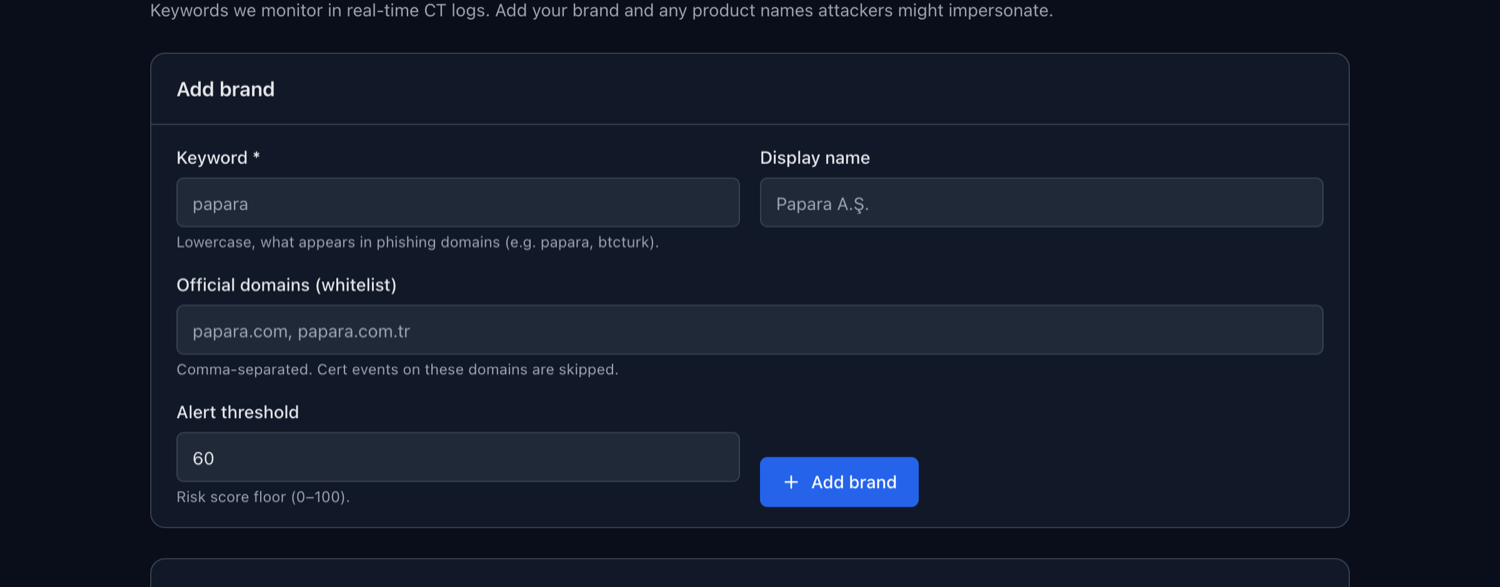
Add the brand keyword (what appears in phishing domains, e.g. papara), your official domains as a whitelist (so your own sites are never flagged), and an alert threshold. Add as many brands and product names as attackers might impersonate. No agents, no DNS changes, no SDK.
We watch every certificate and Telegram channel — in real time
A self-hosted Certificate Transparency listener streams the global SSL-certificate firehose. The moment a certificate is issued for a domain matching your brand — and not on your whitelist — it's a candidate, typically hours before the phishing site goes live. In parallel, we monitor Telegram for channels and accounts impersonating your brand. Matching goes beyond exact keywords: typosquats (papraa), homoglyphs (accented look-alikes) and IDN / Punycode mixes are all caught.
AI scores every match — and groups campaigns
Each candidate is analysed by Claude against the certificate, the registrant and the domain pattern, returning a verdict — phishing, brand use, suspicious, or legit — plus a one-line summary and a 0–100 risk score. Bursts of the same-brand domains are clustered into a single campaign, so an analyst sees “7 finora domains today” as one event, not seven disconnected alerts. If the AI is ever unavailable, a deterministic rule-based score keeps the pipeline running.
We render the page and prove it visually
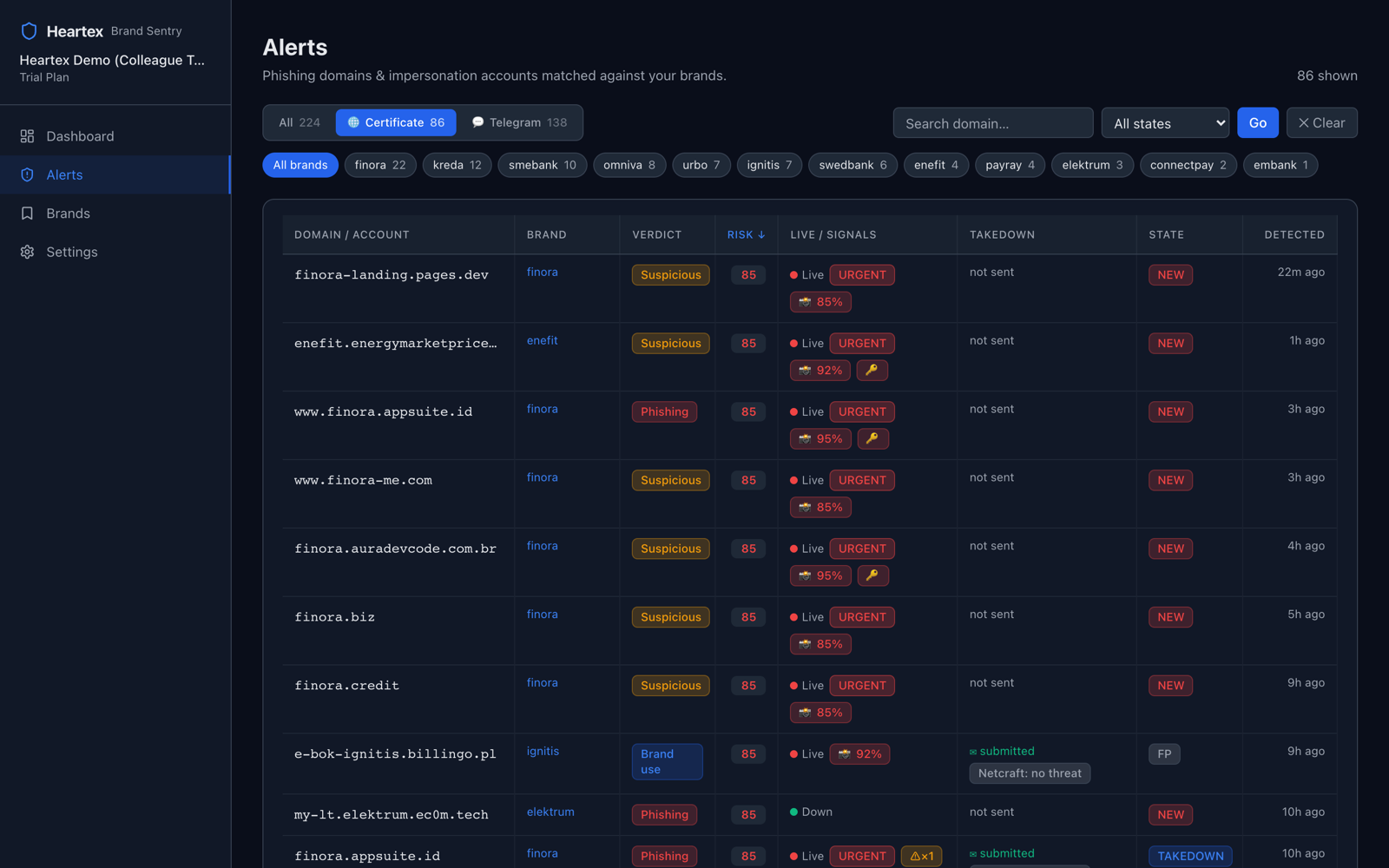
This is what most tools don't do. For every live suspect, an isolated headless browser visits the page and an AI vision model looks at the actual pixels — confirming whether it's a real brand impersonation, and whether it's harvesting credentials. You get a screenshot and a confidence score, not a guess: court-ready evidence you can forward to a registrar today. Parked or unrelated pages come back as “no brand match” and auto-resolve, so the noise filters itself.
Your team triages everything on one screen
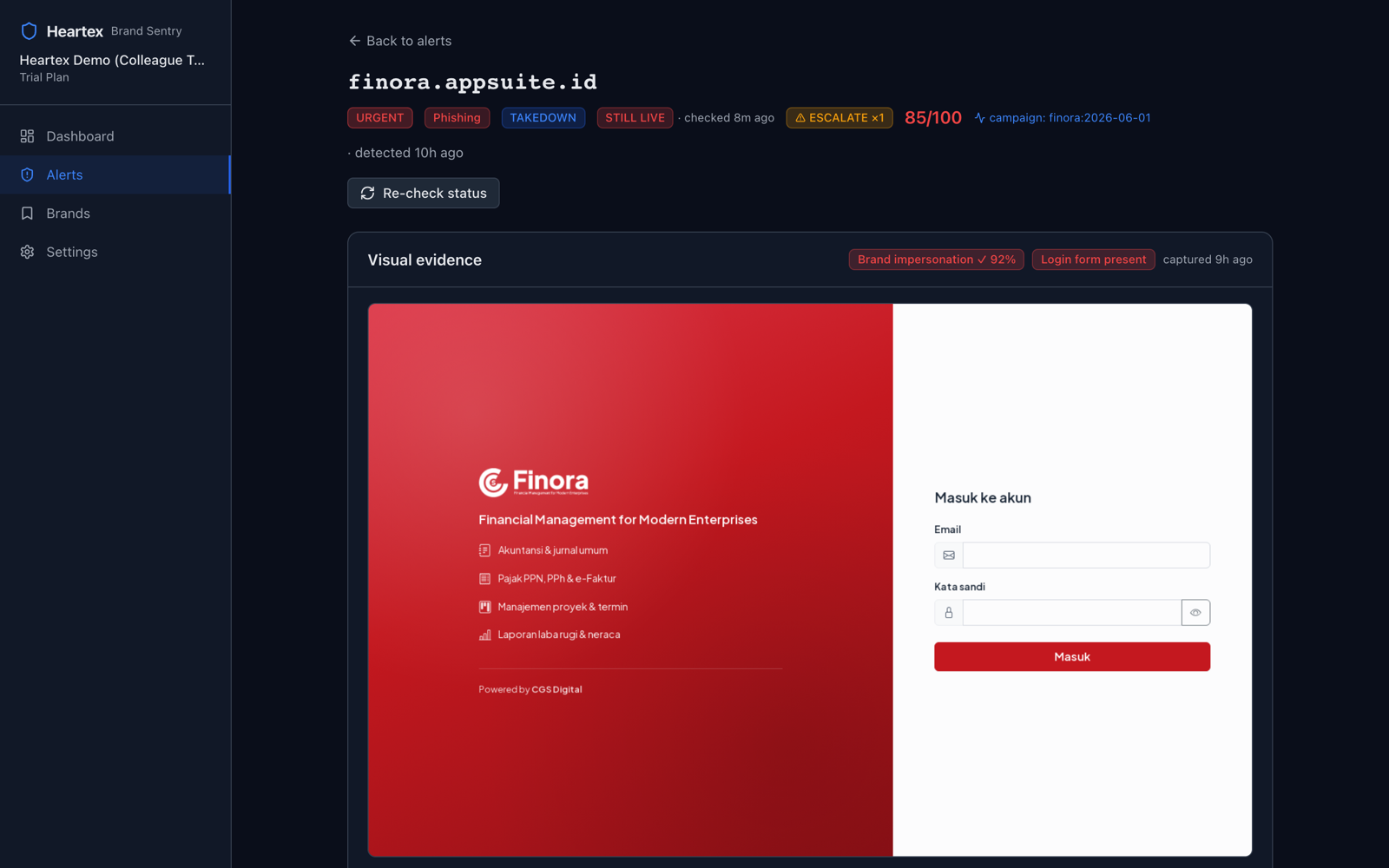
Every impersonation domain and Telegram account in one filterable grid — by source, brand, state or risk. The 📸 badges mark domains an AI vision model has visually confirmed; 🔑 marks a live credential form; the live/down dot and takedown status are right there. Filter to “new, high-risk, certificate” and work top-down. Open any row for the full evidence and actions.
Take it down in one click
From the alert, the registrar, hosting, CDN and certificate-authority abuse contacts are resolved automatically. One click submits the domain to the neutral anti-phishing ecosystem (Netcraft, APWG) and prepares an evidence-rich registrar abuse email — pre-filled with the certificate, risk score and visual proof — for a human to send. Every action is written to an audit log.
It tracks itself to resolution
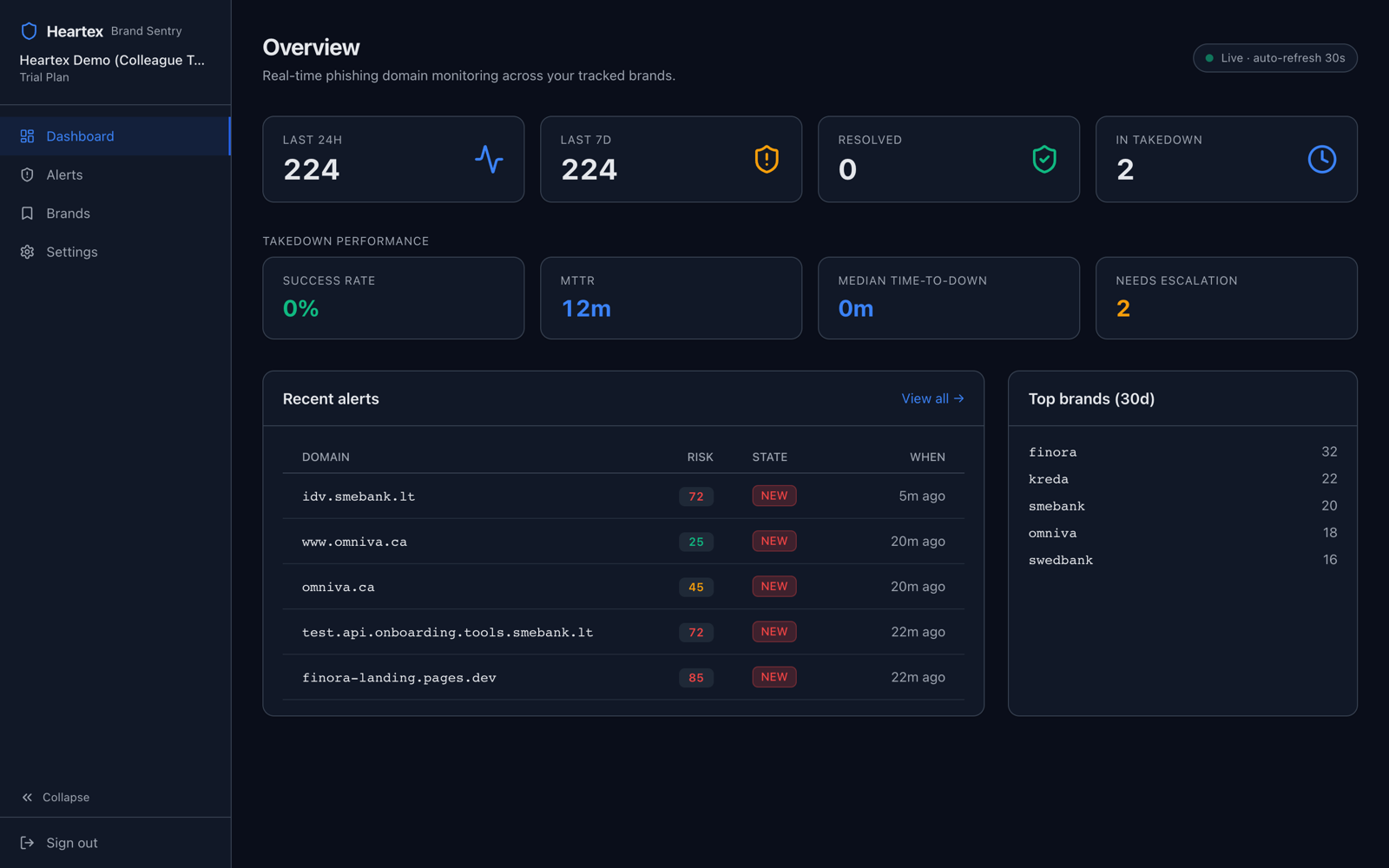
We keep probing each domain. When a phishing site is suspended or sinkholed, the alert resolves itself — you watch your action work, hands-off. Registrar replies are AI-parsed to advance each case, and the dashboard tracks time-to-takedown, success rate and median time-to-down so you can prove the value to your board.
Alerts reach you where you already work
Pick one channel or all of them — every new alert fans out in parallel, plus an optional daily digest.
Per-recipient, instant + digest
Slack
Inline alert in your channel
Microsoft Teams
Webhook into your team
Custom webhook
HMAC-signed, into your SOC/SIEM
Everything it does
The full capability set behind the workflow above.
Pre-launch CT detection
Catches impersonation domains at SSL-certificate issuance — hours before the site goes live.
Telegram monitoring
Channels and accounts abusing your brand — a blind spot for most Western DRP vendors.
Typosquat · homoglyph · IDN
Fuzzy, accented and Cyrillic/Punycode look-alikes, not just exact matches.
AI risk scoring
Verdict + summary on every match, with a deterministic fallback so it never stalls.
Visual evidence (vision AI)
Renders every live suspect and confirms the impersonation from the pixels.
Campaign clustering
Same-brand bursts collapse into one campaign for faster, bulk action.
Coordinated takedown
Registrar, hosting, CDN & CA abuse + Netcraft/APWG submit, with audit trail.
Noise filtering
Parked / unrelated pages return “no brand match” and auto-resolve.
Metrics & reply parsing
MTTR, success rate and time-to-down tracked; registrar replies AI-parsed.
“The blocklist says no threat” — and it's wrong
Third-party blocklists often return no threat on a page that is clearly phishing. Three reasons we see constantly:
- Cloaking — the kit serves a clean page to scanner/datacenter IPs and the real phish only to targeted victims.
- Path/token gating — the phish lives at a specific URL; the bare domain looks legitimate.
- Lag — they simply haven't analysed it yet.
Because Heartex renders the actual page and keeps the screenshot, we have ground truth even when an automated blocklist misses it — and a no threat label never downgrades an alert our own AI and vision model flagged as impersonation.
Where Heartex stands
See it on your brand
We'll show you the domains already impersonating you in a 15-minute call. 14-day pilot, no setup fee.
Start a 14-day pilot Back to home